Physical Address
304 North Cardinal St.
Dorchester Center, MA 02124
Physical Address
304 North Cardinal St.
Dorchester Center, MA 02124
Helpful ideas. Squeaky value.
Helpful ideas. Squeaky value.
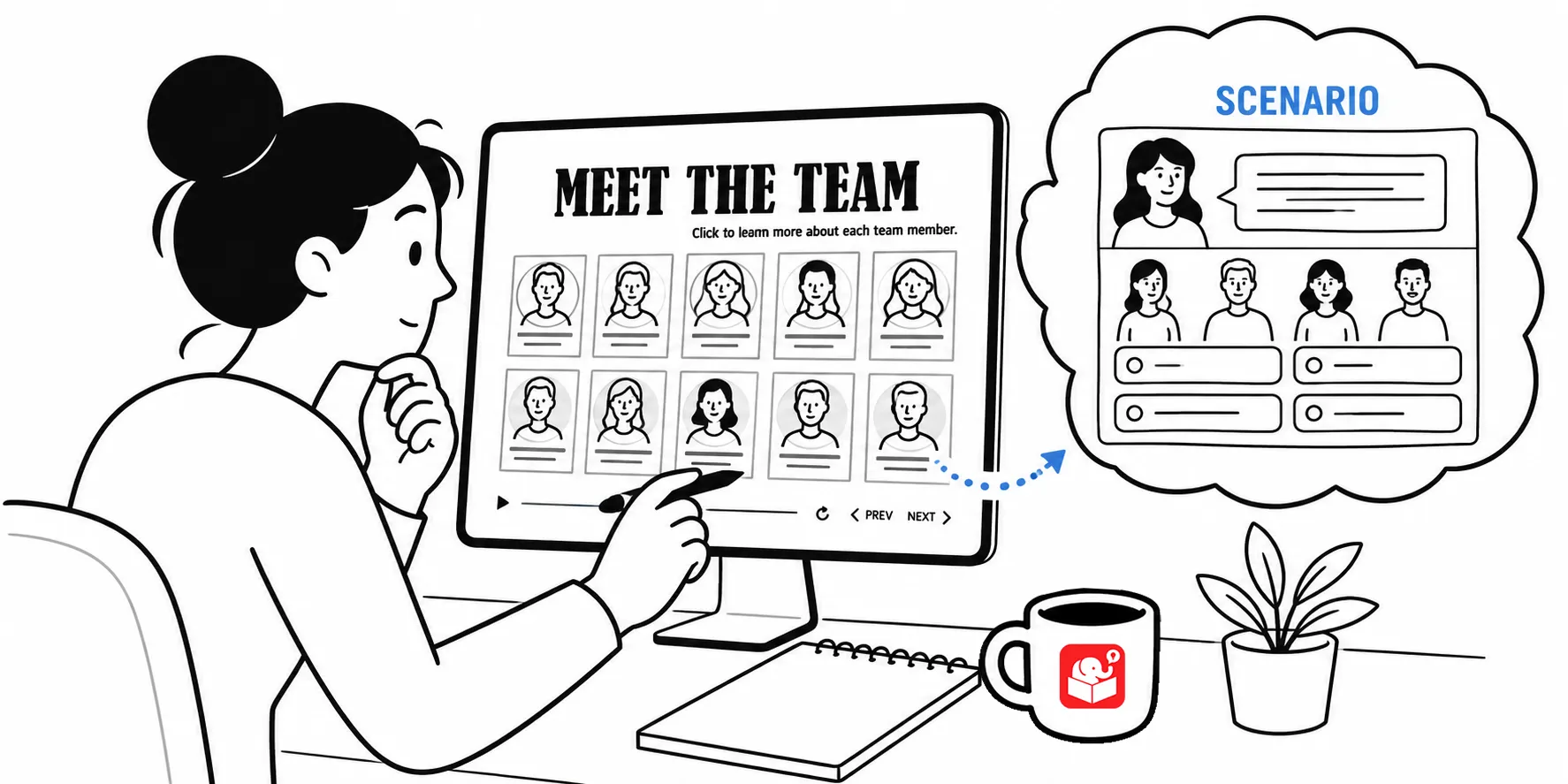
Many of us are challenged to convert our linear content into something more interactive and engaging. Here’s an activity we do in a workshop.
The objective is not to build completely from scratch. We start with an existing template and then we explore a few ways we could add some gamified elements to create something that is a bit more effective and engaging.
Here’s a breakdown of some ideas from the workshop activity.
The original template was clean and functional. You clicked on each team member to read a profile. That works for an onboarding resource, but it doesn’t ask the learner to do anything meaningful.
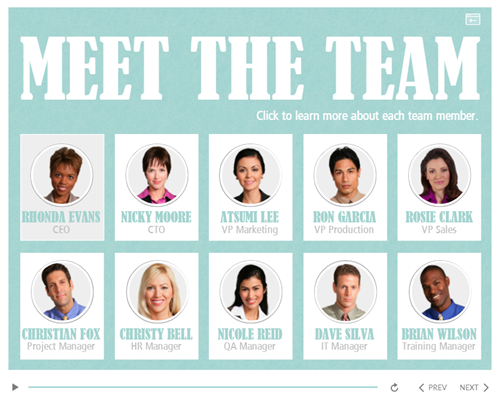
See the original template in action
To make it a better learning experience, the team wrapped the template in a decision-making scenario.
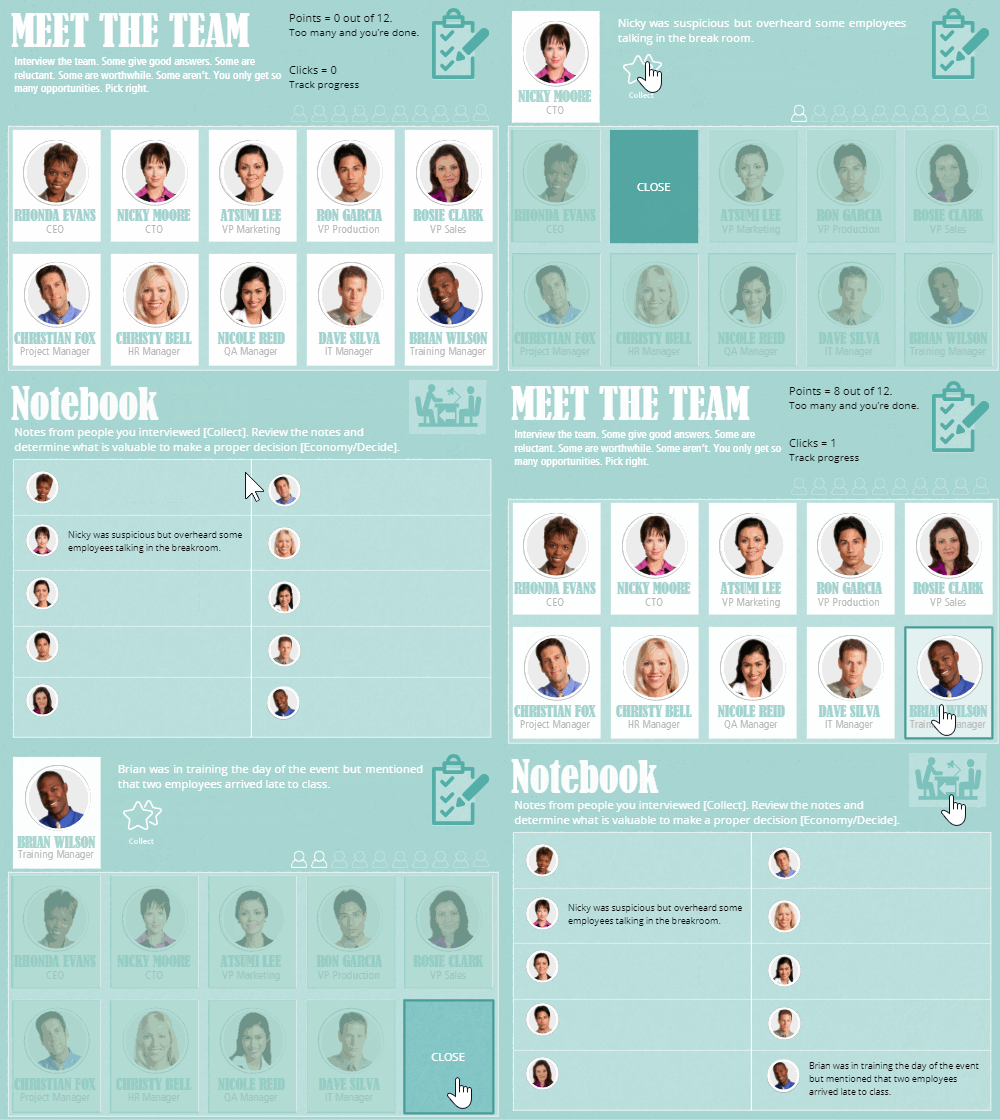
Click here to view the gamified example.
That shift changes everything. The same content now has stakes. We transition from a simple template toe an experience where the learner has to:
Each team member had something to say, but not all of it was useful. Sorting the relevant from the irrelevant was part of the skill being practiced.

Each character carried a point value, and learners could only spend a set number before interviews ended.
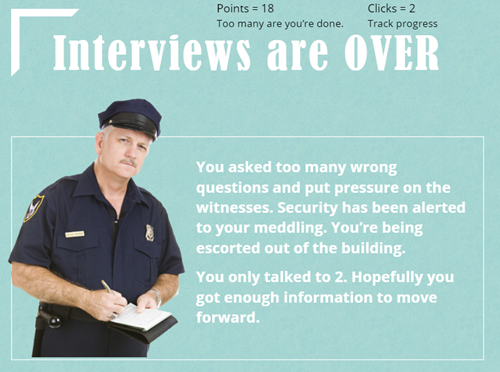
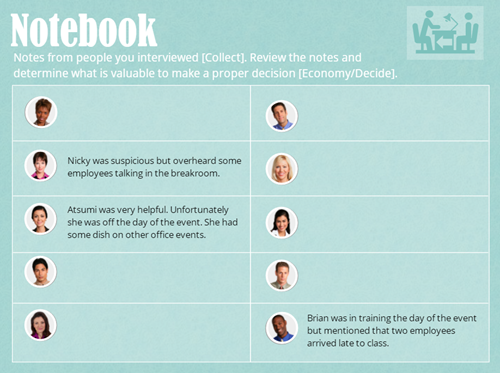
A true/false variable tracked completed interviews and controlled which notes appeared in the learner’s notebook. Once the total exceeded 12 points, no more interviews were available.
These mechanics introduced pressure without complexity. The learner had to choose wisely, not just click through everything.
Building this doesn’t require advanced Storyline skills. A few variables do most of the heavy lifting.
A number variable tracked interview progress and the running point total. A true/false variable for each character controlled whether their notebook entry showed up. A disabled state on each character prevented the learner from interviewing the same person twice.
That’s it. No complex triggers or deep conditional logic. Just a handful of variables working together to create the feeling of consequence.
The real learning happens in the choices a learner makes. They decide who to ask, weigh the cost of each interview against the potential value of the information, and then act on what they’ve collected.
That mirrors how people actually work. Most jobs require gathering information from multiple sources, filtering it, and acting on incomplete data. A well-designed interaction puts the learner in that situation before they face it in real life.
The content doesn’t change. The context does. And that shift makes the difference between a course someone clicks through and one they actually think about.
Watch the tutorial above. Download the template to practice yourself.
The next time you get a static template, look for the decision hiding inside the content. Most information exists because someone needs to act on it. Your job is to build an interaction where learners practice that action before they face it for real. Start with variables, build a scenario around a realistic challenge, and see what your existing template can become.