Physical Address
304 North Cardinal St.
Dorchester Center, MA 02124
Physical Address
304 North Cardinal St.
Dorchester Center, MA 02124
Helpful ideas. Squeaky value.
Helpful ideas. Squeaky value.
At a workshop on variables, one attendee said her biggest takeaway was to avoid using them. It got a laugh, but the reaction made sense, especially for a new person.
Variables look like a programming concept at first, but the logic behind them is straightforward once you know the pattern.
Think of a variable as an empty bucket. The bucket collects something during the course. Once it has something in it, you can use that value to do something else.
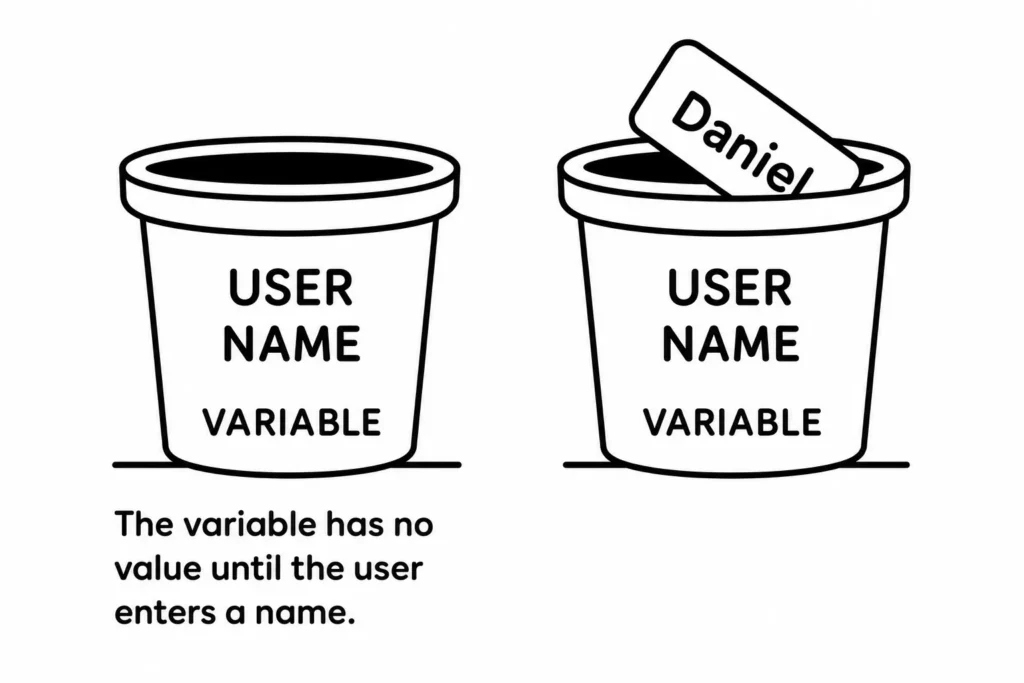
In e-learning, that value might be a learner’s name, a count of how many items they clicked, or a record of which path they took. The bucket just holds the information until you need it.
Most authoring tools work with three kinds of variables. Each holds a different type of value.
The types are sometimes interchangeable. You could track a yes/no state with a number just as easily as with a True/False variable. Pick whatever makes the logic clearest.
Two of the most common uses for variables are displaying a learner’s name and counting clicks. Both appear frequently in real courses and help illustrate how the system works.
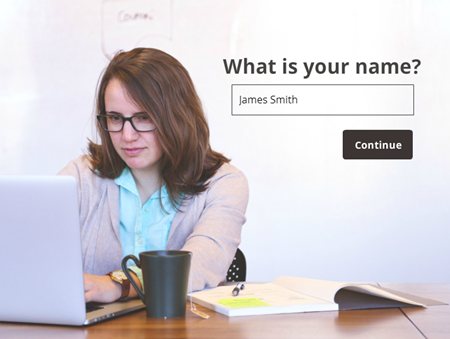
For a name variable, a learner types their name on the first screen. You store that input in a text variable. On any later screen, you reference the variable and Storyline fills in the name automatically.
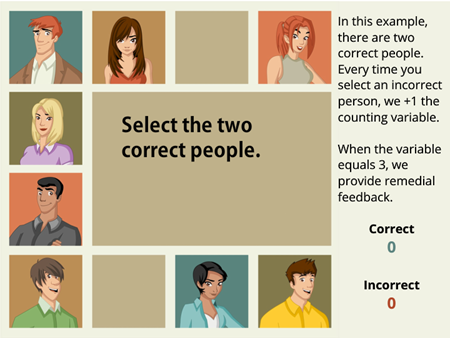
For a counting variable, you start a number variable at zero. Every time a learner clicks something you want to track, a trigger adds 1 to the variable. When the count hits a threshold, another trigger fires feedback or changes an object’s state.
Every variable follows the same pattern, regardless of what it does.
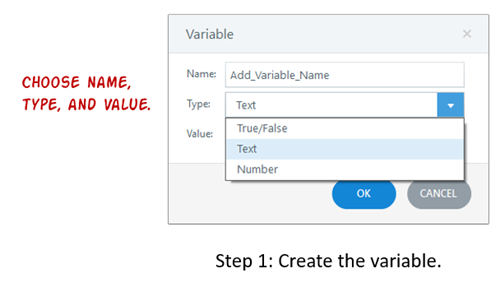
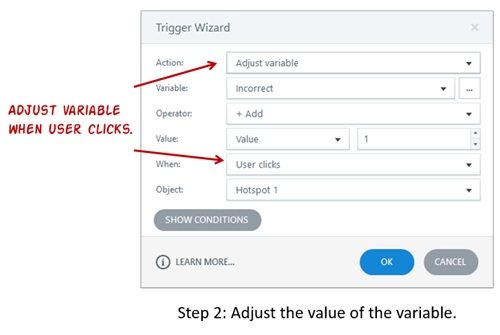
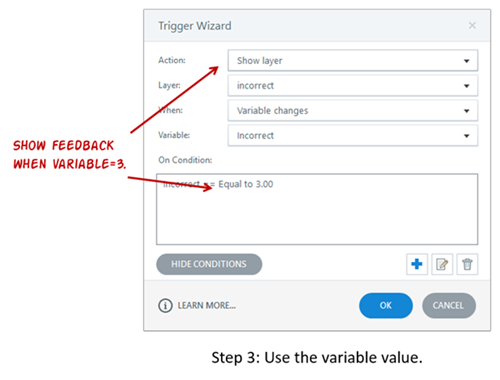
That’s the whole system. Everything else is a variation on these three steps. If you want to learn more check out the resources in the e-learning community. There’s some introductory training and a bunch of examples in the weekly challenges.
Getting comfortable with variables means giving yourself a real goal and working through how to reach it. Try collecting a learner’s name and displaying it on a later screen. Then control navigation with a variable, and then track correct selections during an activity. Each practice round makes the next course you build a little more dynamic.