Physical Address
304 North Cardinal St.
Dorchester Center, MA 02124
Physical Address
304 North Cardinal St.
Dorchester Center, MA 02124
Helpful ideas. Squeaky value.
Helpful ideas. Squeaky value.
You’ve probably built a course that works just fine. Slides and screens advance, a quizzes get completed, and learners get their certificate. But every learner gets the same experience, regardless of what they already know or how they’re doing in the course. This is fine for simple compliance training but not performance-based courses where people need to learn to do something different and prove it.
This is where using variables in your e-learning courses is really valuable and opens up all sorts of possibilites.
Think of a variable as a bucket. It holds a value, and that value can change based on what happens in the course. The value is dynamic, not fixed.
A simple example: you want to greet learners by name. You create a variable to hold whatever they type in at the start. Later, you reference that variable to display their name. The name isn’t set until they enter it. That’s what makes it a variable.
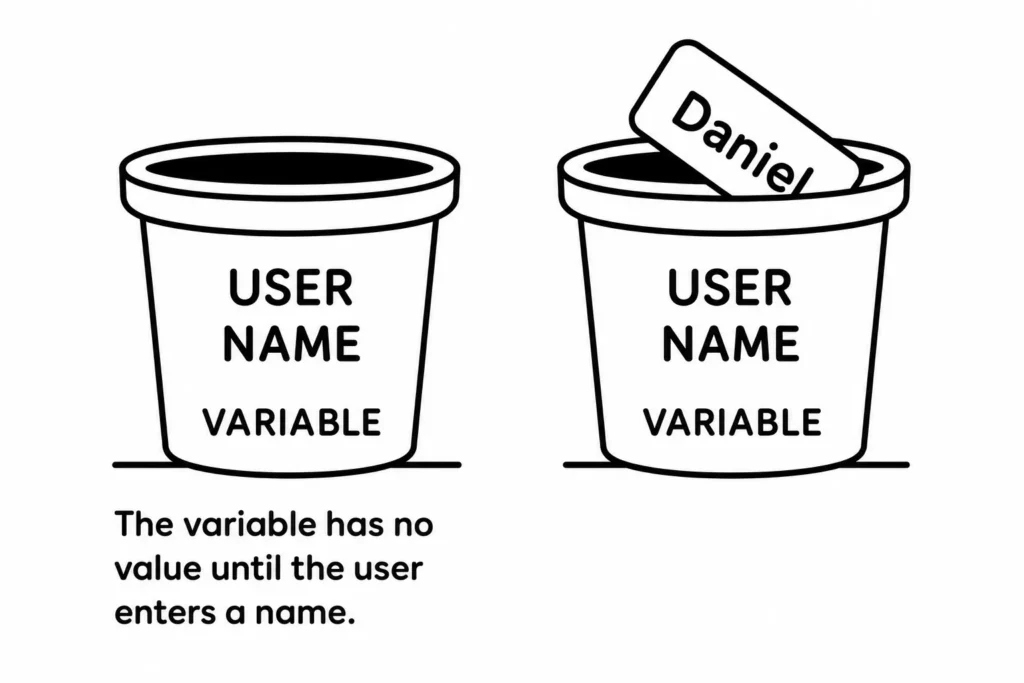
You can also think of the learner as the variable. You don’t know in advance what they’ll type, select, or decide. Variables let you capture those choices and do something useful with them.
Many course developers come from a classroom training background. Their companies bought authoring software and left them to figure it out. Storyline and similar tools make production straightforward, so courses get built. But the courses often remain linear because the new course designers don’t know what else is possible.
Variables change that. They let you track what learners do, evaluate it in real time, and shape what comes next. Here are some of the most common uses:
That’s not a complete list. The more comfortable you get with variables, the more uses you’ll find.
Start small. Try one thing: collect a learner’s name and display it on a later slide. You’ll understand the core concept after one working example.
From there, try tracking whether a learner visited a specific slide. Or whether they passed a practice check. Each new use case builds on what you learned before. The e-learning community has a lot of content on working with variables. And a good place to practice is in the weekly challenges in variables.
Variables are one of those things that seem technical until you’ve built one working example. Once you see how a single variable changes a learner’s experience, you’ll start spotting opportunities in every course you build. What decision points in your current course could benefit from a different path? That’s where to start. Share how you’re using variables in the comments below.