The fastest way to save is to know when not to build
Most training departments have more requests than capacity. If you say yes to everything, you end up producing a lot of courses that shouldn’t have been courses. The first technique for saving time and money isn’t a production tip. It’s knowing when to push back.
Don’t build a course if you don’t need one
Your clients will often assume that every problem can be solved with training, and today every training solution should be an e-learning course. That’s not your job to reinforce. Your job is to assess what the client wants and then what the learner actually needs and recommend the right solution.
Sometimes the right solution is a short meeting. Sometimes it’s a job aid or a checklist. Sometimes the content already exists on the company intranet and learners just need to know how to find it. Every course you don’t build is time freed up for something that genuinely requires a course.
Being the person who says “we don’t need a course for this” is one of the most valuable things you can do for your organization. It protects your time, saves budget, and keeps your learners from sitting through training that doesn’t need to exist.
Match the production level to the project
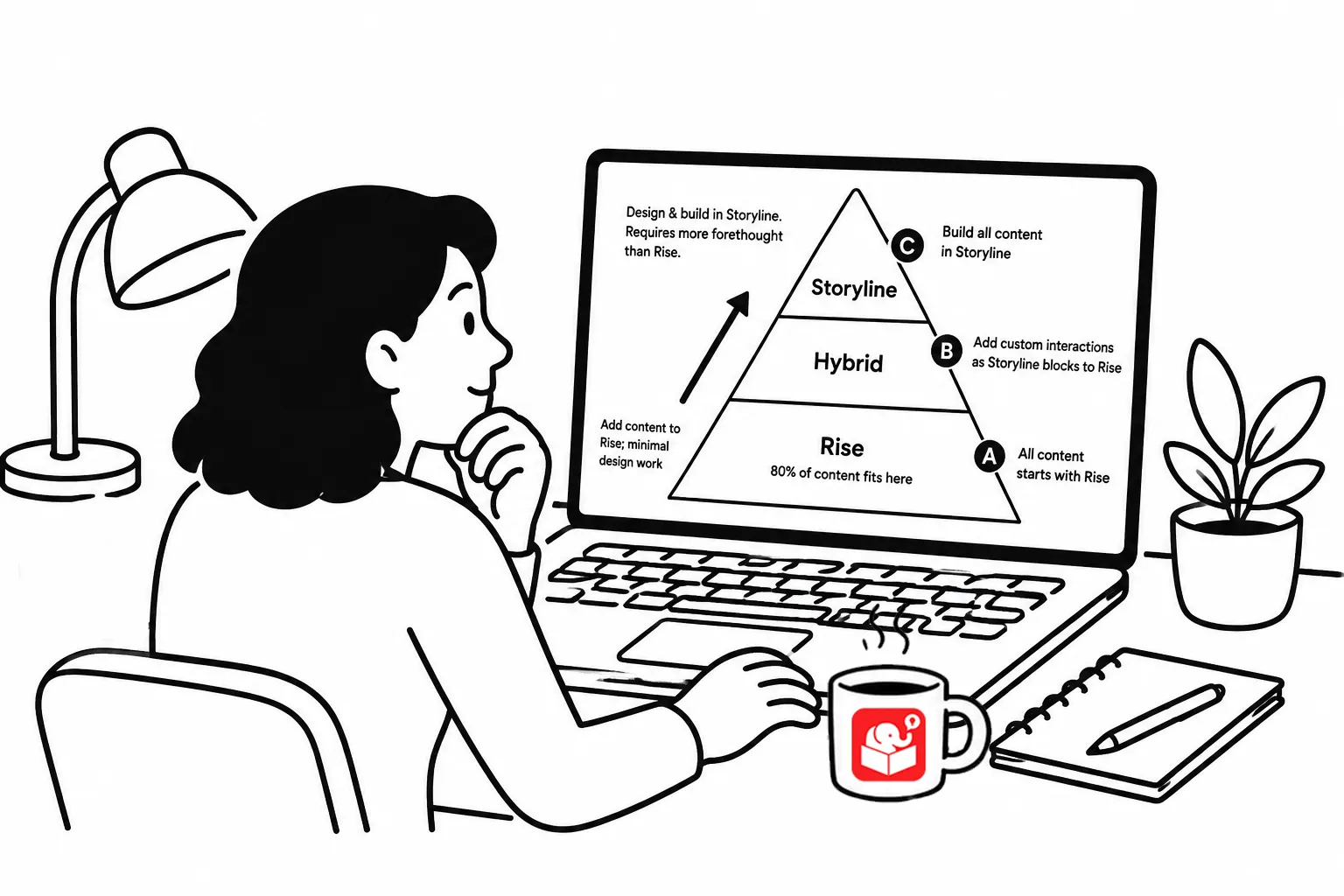
Not every course needs full custom development. A three-tiered approach helps you allocate your resources where they’ll have the most impact.
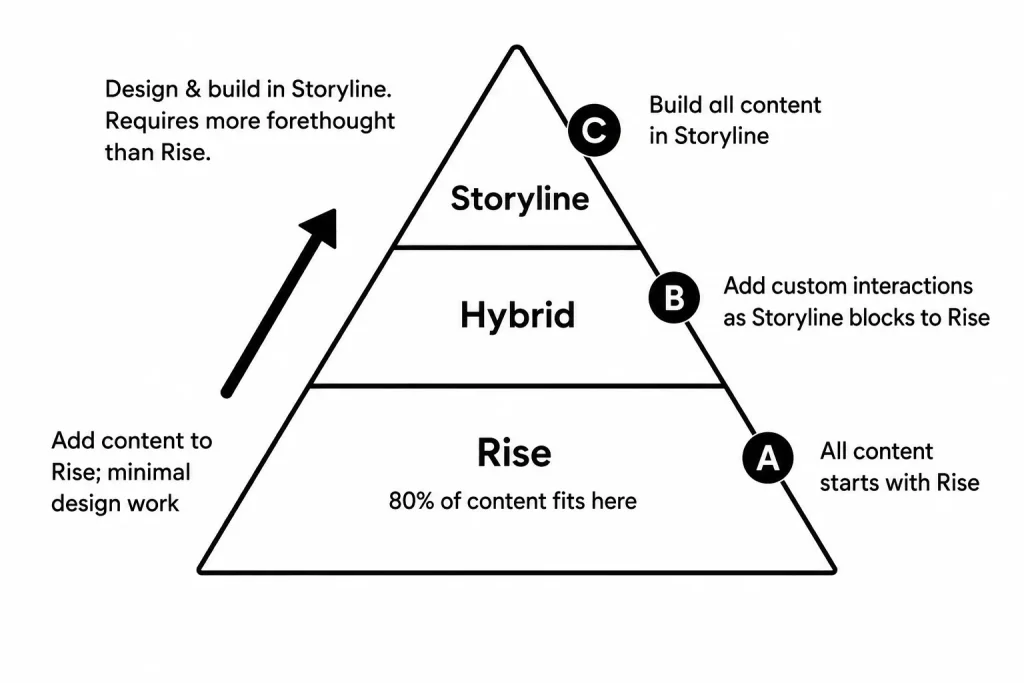
- The first tier is rapid development. Make this your default starting point. For example, Rise and Storyline are both easy to use, but Rise is so much faster. That should be your starting point. This let you produce courses quickly without committing expensive developer time to every project. If a rapid course meets the learning objective, ship it.
- The second tier is custom pieces inside a Rise course. Rise is flexible enough to accept custom web objects, Storyline blocks, vibe-coded modules, and other embedded content. If one section of a course needs a custom interaction or simulation, build just that piece and drop it into the rapid course. You get the quality where it counts without rebuilding the whole course in a custom environment.
- The third tier is full custom development. Reserve this for projects where the first two tiers genuinely can’t meet the objective. When you push most work to rapid production, your skilled developers are available for the projects that actually need them.
Teach learners to find information rather than repeating it
A lot of e-learning content is information that already exists somewhere in the organization. Instead of reproducing it all inside a course, build the course to teach learners how to find and use the content when they need it.
This approach has two benefits.
- It creates learner independence, which is more valuable than information delivery.
- It reduces how much you have to build and maintain. When the underlying policy or procedure changes, you update the source document instead of rebuilding the course.
For step-by-step procedural content, ask whether a course is even the right format. A well-designed cheat sheet or quick reference card might give learners more practical value than a thirty-minute course, and it takes far less time to build.
Key takeaways
Before your next project kicks off, ask two questions.
- First: does this actually need to be a course, or could a simpler solution deliver the same result?
- Second: if it is a course, what tier of development does it really require?
Most requests don’t need the top tier. Answering those questions before you start will save more time than any production trick applied after you’ve already committed to the wrong approach.